Documentation Workflows
Documentation Workflows
These workflows can also be used, e.g., when a new documentation writer does not have all tools installed yet, or when a structured review process is required.
Automated Documentation Workflow
Since late 2023, we use the following workflow. It is a better alternative because there is less manual work involved, and the documentation is always up-to-date (in particular, the searchable full-text index is kept up-to-date).
| Modern mDIS Documentation Workflow |
|---|
| A documentation writer performs the steps with a light background: |
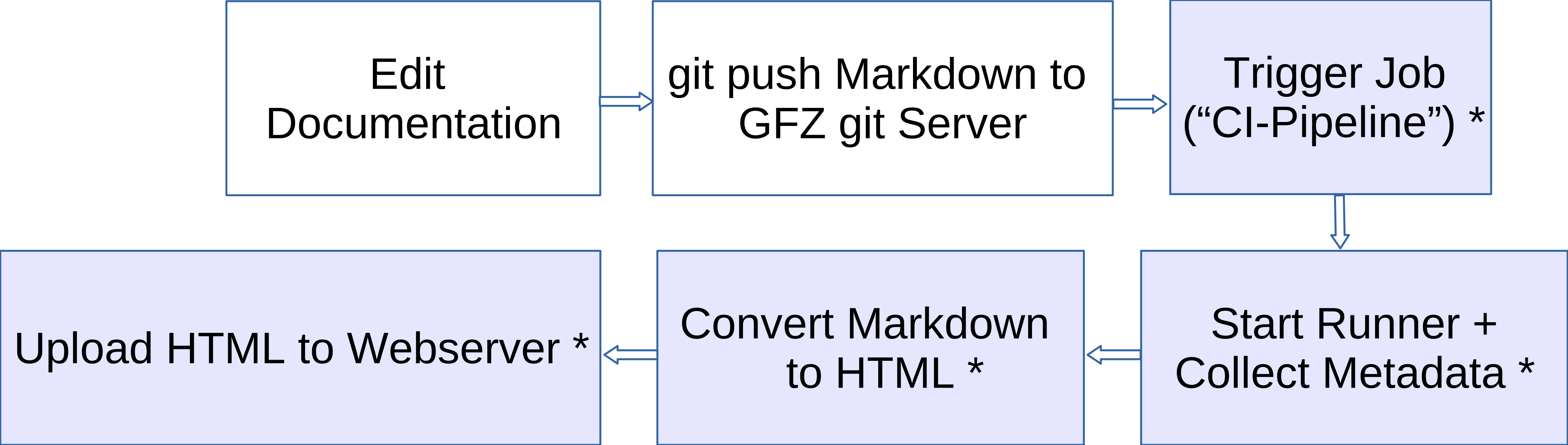 |
| All other steps with a dark background are automated. |
This workflow reflects a normal developer workflow:
- Edit files
git pushto repository
All following steps (indicated with *) are automated, performed by the GitLab software. The developers and documentation writers do not have to convert and upload files themselves.
4-eyes workflow
This is a 4-eyes workflow, where the documentation is updated and approved by 2 different people: (1) an editor who contributes updates to the content, and (2) a reviewer who then generates the static HTML pages.
| mDIS Documentation Workflow with 2 people |
|---|
| A user performs the steps with a light background. A maintainer approves manually and triggers further automated steps. |
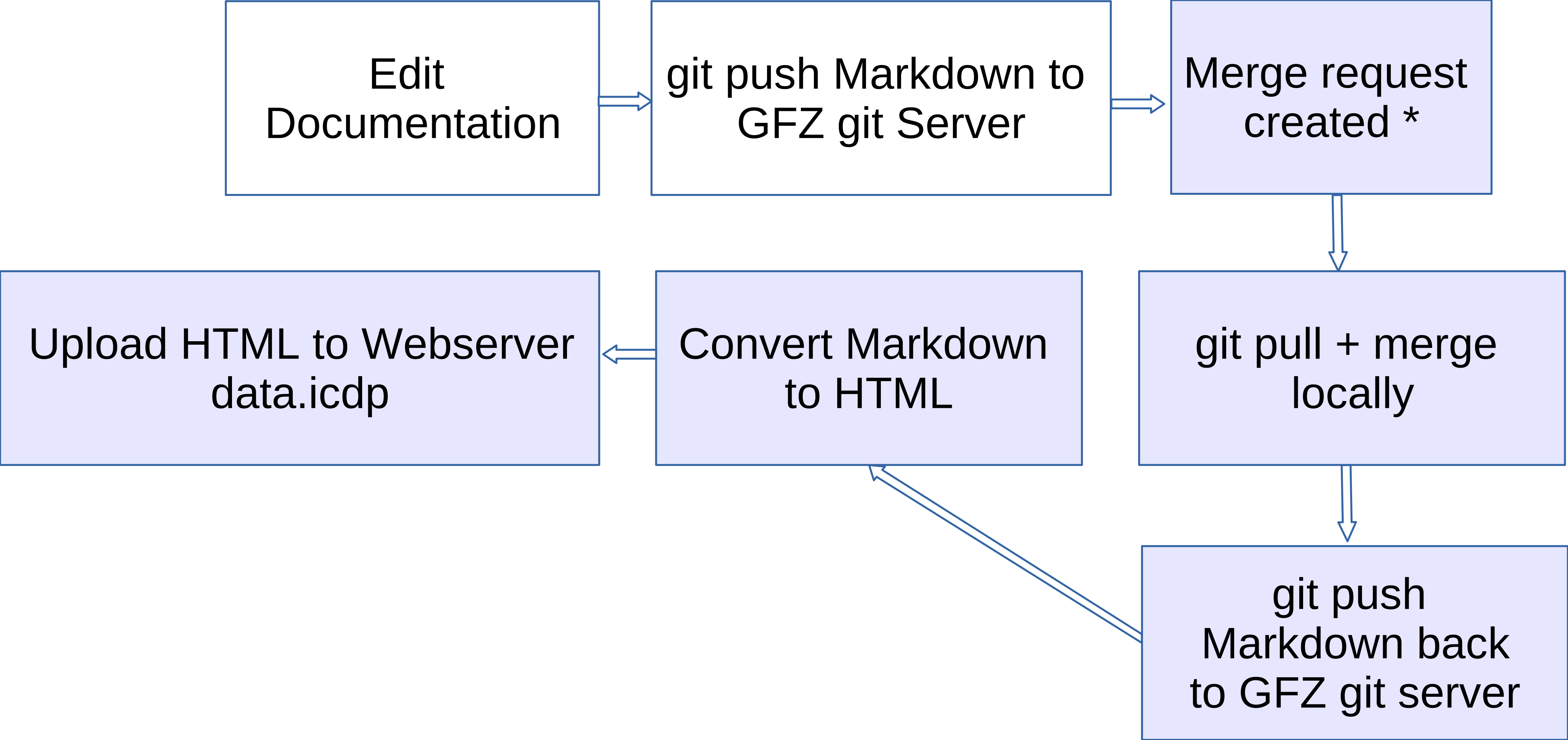 |
Automated steps are labeled with *. |
Note: The git pull + merge locally step can also be performed in-browser in the GitLab WebIDE. - Some later CI/CD steps (like updating the full-text index and creating a PDF) are not shown in the image. |
Thus, the VuePress tool does not have to be installed on neither the editor's nor the writer's computers. Their maintenance burden is reduced.